
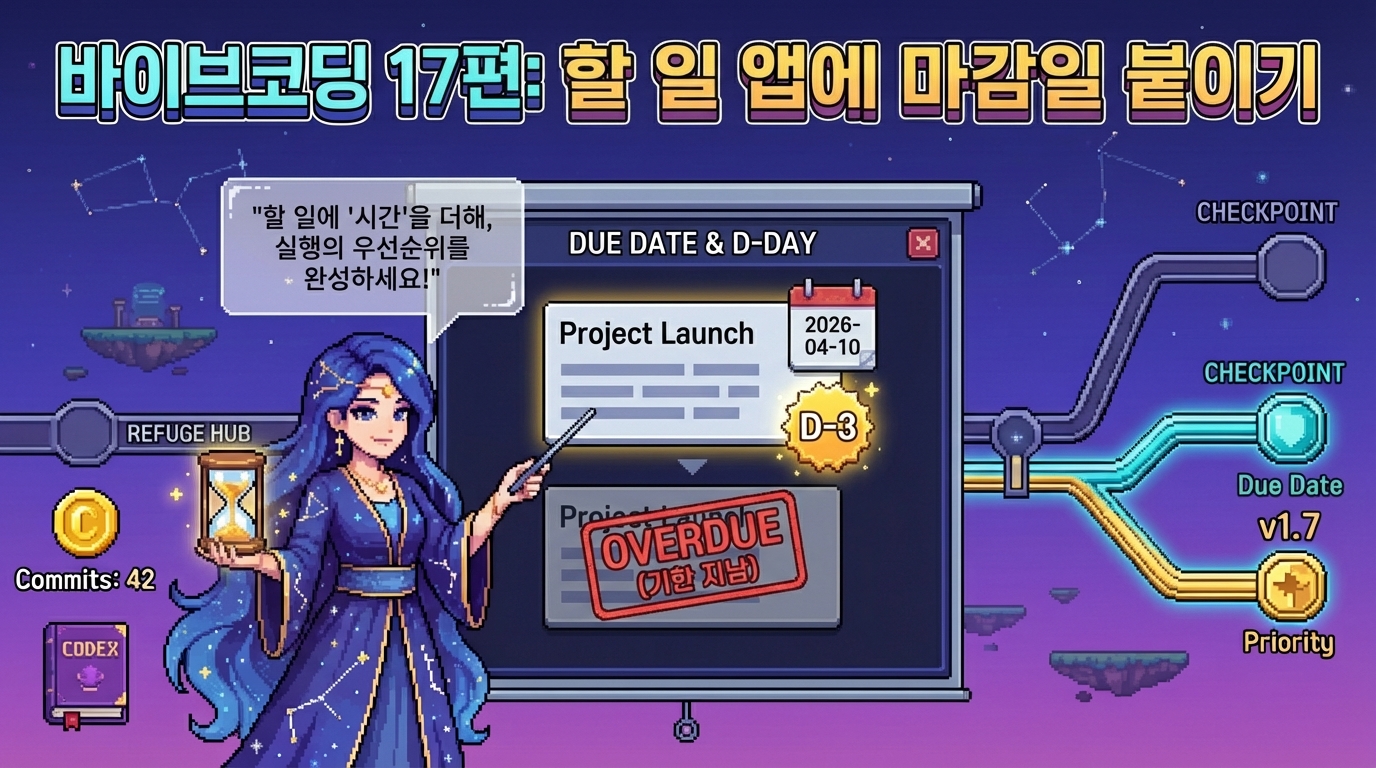
우선순위까지 붙이고 나면, 이제 할 일 앱이 꽤 쓸 만해 보이기 시작합니다. 그런데 실제로 조금만 써보면 또 다른 아쉬움이 금방 보입니다. 중요한 일은 구분되는데, 마감일이 없으니 언제까지 의식해야 하는지가 한눈에 안 들어온다는 점입니다.
그래서 이번 편에서는 마감일 기능을 붙여보겠습니다. 다만 이번에도 범위를 크게 벌리지는 않겠습니다. 달력 전체를 붙이거나 자동 알림까지 가는 대신, 할 일에 날짜 값을 하나 더 저장하고, 그 값이 화면에서도 읽히게 만드는 흐름에 집중하겠습니다. 지금 단계에서는 이 정도가 가장 좋습니다. 새 속성 하나가 데이터에 들어오고, 그 값이 입력, 저장, 수정, 렌더링 전체에 연결되는 경험을 하기 딱 좋기 때문입니다.
이번 글에서는 새 할 일을 추가할 때 마감일을 같이 고를 수 있게 만들고, 목록에서도 그 날짜가 배지처럼 보이게 정리하겠습니다. 그리고 이미 저장돼 있던 이전 데이터에는 마감일 값이 없을 수 있으니, 그때는 빈 값으로 정리해서 앱이 깨지지 않게 처리하겠습니다. 여기에 더해 오늘 날짜를 지난 미완료 항목은 지연 상태로 따로 눈에 띄게 보여주겠습니다.
| 겉으로 보이는 변화 | 실제로 추가되는 것 | 가장 먼저 봐야 할 지점 |
|---|---|---|
| 추가 폼에 날짜 입력칸이 생긴다 | todo 객체에 dueDate 값이 하나 더 들어간다 | 기존 text, done, priority에 이어 dueDate까지 함께 저장되는지 본다 |
| 목록에 마감일 배지가 보인다 | 날짜가 있으면 표시하고, 지난 날짜면 지연 상태도 같이 보여준다 | 저장된 날짜 값이 렌더링 단계에서 어떻게 UI로 바뀌는지 본다 |
| 예전 데이터도 그대로 열린다 | dueDate가 없는 이전 항목에는 빈 값을 붙여서 정리한다 | 불러오는 단계에서 데이터를 한 번 정규화하는 흐름을 본다 |
이번 글의 핵심 한 줄
마감일 기능의 핵심은 날짜 입력칸을 하나 더 넣는 일이 아니라, 할 일 데이터에 dueDate를 추가하고 그 상태를 화면에서도 읽히게 만드는 데 있습니다.
왜 지금 마감일 기능이 필요한가
순서, 검색, 우선순위까지 붙고 나면 할 일 앱은 꽤 그럴듯해집니다. 그런데 실제로 써보면 금방 느끼는 지점이 있습니다. 어떤 일이 중요한지는 표시할 수 있는데, 언제까지 끝내야 하는지는 아직 목록에서 바로 보이지 않는다는 점입니다.
이때 마감일은 꽤 좋은 다음 단계입니다. 우선순위가 "얼마나 중요한가"를 보여준다면, 마감일은 "언제까지 의식해야 하는가"를 보여줍니다. 이 둘이 같이 들어오면 목록을 보는 방식이 훨씬 입체적으로 바뀝니다.
- 같은 우선순위라도 무엇을 먼저 봐야 할지 더 빨리 판단할 수 있습니다.
- 데이터 구조에 속성 하나를 더 추가하는 연습이 됩니다.
- 기존 기능을 유지한 채 상태 하나를 더 얹는 감각을 익히기 좋습니다.
- 검색, 수정, 저장 흐름이 새 속성과 어떻게 연결되는지도 같이 볼 수 있습니다.
핵심 포인트
마감일 기능은 단순한 보조 정보가 아니라, 목록을 읽는 기준을 하나 더 늘리는 작업에 가깝습니다.
이번 편에서는 어디까지 만들 것인가
이번 편도 범위를 분명하게 잘라두겠습니다. 마감일이라고 해서 달력 뷰, 자동 정렬, 알림까지 한 번에 넣을 필요는 없습니다. 지금 단계에서는 아래 정도면 충분합니다.
- 새 항목을 추가할 때 마감일을 같이 고르게 만듭니다.
- 목록에 마감일 배지를 표시합니다.
- 수정 모드에서도 마감일을 바꿀 수 있게 만듭니다.
- 오늘 날짜를 지난 미완료 항목에는 지연 배지를 추가합니다.
- 이전 localStorage 데이터에는 빈 마감일 값을 자동으로 붙입니다.
- 요약 문구에 지연된 항목 수를 같이 보여줍니다.
반대로 이번 편에서는 아래 내용은 일부러 넣지 않겠습니다.
- 마감일 기준 자동 정렬
- 달력 전체 화면
- 브라우저 알림이나 푸시 알림
- 마감일 전용 필터 버튼
이렇게 해야 이번 단계에서 진짜 봐야 할 것이 흐려지지 않습니다. 지금 중요한 건 "날짜를 예쁘게 보여주는 것"보다, 새로운 속성 하나가 저장, 수정, 렌더링 전체에 어떻게 연결되는지를 따라가는 데 있습니다.
10분 실습: 마감일이 왜 우선순위와 다른 기준인지 먼저 느껴보기
코드를 보기 전에 아주 짧게 상상 실험부터 해보는 편이 좋습니다. 아래처럼 세 개의 할 일이 있다고 가정해보겠습니다.
1. 운동하기       - 보통 - 2026-03-30
2. 회의 자료 정리  - 높음 - 2026-03-25
3. 책 반납하기     - 낮음 - 2026-03-20
이 상태에서는 우선순위와 마감일이 서로 다른 역할을 합니다. 2번은 중요도가 높고, 3번은 중요도는 낮지만 날짜가 더 급할 수 있습니다. 즉, 마감일은 우선순위를 대체하는 값이 아니라, 같은 목록을 읽는 또 다른 기준을 하나 더 붙이는 역할에 가깝습니다.
| 겉으로 보이는 변화 | 실제로 필요한 값 |
|---|---|
| 추가할 때 날짜를 고른다 | todo에 dueDate 속성이 저장돼야 합니다 |
| 목록에서 날짜 배지가 보인다 | 렌더링할 때 dueDate 값도 함께 읽어야 합니다 |
| 지난 날짜는 따로 눈에 띈다 | 현재 날짜와 비교해서 지연 상태를 판단해야 합니다 |
즉, 이번 기능은 단순히 date 입력창을 하나 더 만드는 작업이 아닙니다. todo 데이터 구조가 조금 넓어지고, 그 변화가 저장과 화면에 같이 반영되는 경험이라고 보는 편이 훨씬 정확합니다.
핵심 포인트
마감일 기능은 "날짜를 보여준다"보다 할 일 하나가 가지는 정보가 또 한 단계 넓어진다고 이해하는 편이 훨씬 쉽습니다.
HTML 수정: 입력 폼에 날짜 입력칸 추가
이번 기능은 HTML 전체를 크게 바꾸는 작업이 아닙니다. 입력 폼 안에 날짜 입력칸 하나를 더 넣고, 나중에 목록 한 줄을 그릴 때 이 값을 같이 보여주게 만들면 충분합니다. 즉, 화면 구조는 거의 유지하면서 데이터 구조만 한 단계 넓어지는 방식이라고 보면 됩니다.
index.html은 아래처럼 정리하면 됩니다.
<!DOCTYPE html>
<html lang="ko">
<head>
  <meta charset="UTF-8">
  <meta
    name="viewport"
    content="width=device-width, initial-scale=1.0"
  >
  <title>오늘 할 일 앱</title>
  <link rel="stylesheet" href="style.css">
  <script defer src="script.js"></script>
</head>
<body>
  <main class="app">
    <section class="panel">
      <div class="panel-header">
        <p class="eyebrow">Due Date Practice</p>
        <h1>오늘 할 일</h1>
        <p class="description">
          할 일마다 마감일을 붙여서 더 구체적으로 정리하는 단계입니다.
        </p>
      </div>

      <div class="composer">
        <form id="todoForm" class="todo-form">
          <label for="todoInput">할 일 입력</label>
          <div class="input-row">
            <input
              id="todoInput"
              type="text"
              placeholder="예: 마감일 기능 점검하기"
            >
            <select
              id="priorityInput"
              class="priority-select"
              aria-label="우선순위 선택"
            >
              <option value="high">높음</option>
              <option
                value="medium"
                selected
              >
                보통
              </option>
              <option value="low">낮음</option>
            </select>
            <input
              id="dueDateInput"
              type="date"
              class="due-date-input"
              aria-label="마감일 선택"
            >
            <button
              id="submitButton"
              type="submit"
              class="primary-button"
            >
              추가
            </button>
          </div>
        </form>
      </div>

      <div class="toolbar">
        <p
          id="summaryText"
          class="summary"
        >
          전체 0개 · 남은 할 일 0개 · 높은 우선순위 0개 · 지연 0개
        </p>
        <button
          id="clearAllButton"
          type="button"
          class="secondary-button"
        >
          전체 삭제
        </button>
      </div>

      <div class="filter-section">
        <div
          class="filter-group"
          role="group"
          aria-label="필터 선택"
        >
          <button
            type="button"
            class="filter-button is-active"
            data-filter="all"
            aria-pressed="true"
          >
            전체
          </button>
          <button
            type="button"
            class="filter-button"
            data-filter="active"
            aria-pressed="false"
          >
            진행 중
          </button>
          <button
            type="button"
            class="filter-button"
            data-filter="completed"
            aria-pressed="false"
          >
            완료
          </button>
        </div>
      </div>

      <div class="search-section">
        <label for="searchInput">검색</label>
        <div class="search-row">
          <input
            id="searchInput"
            type="text"
            placeholder="예: 수정, 배포, 회의"
          >
          <button
            id="clearSearchButton"
            type="button"
            class="secondary-button"
          >
            검색 지우기
          </button>
        </div>
      </div>

      <p
        id="message"
        class="message"
      >
        할 일을 입력하고 추가 버튼을 눌러보세요.
      </p>

      <div class="list-section">
        <ul
          id="todoList"
          class="todo-list"
        ></ul>
      </div>
    </section>
  </main>
</body>
</html>
이번 HTML 수정에서 핵심은 dueDateInput이 추가됐다는 점입니다. 그런데 실제로는 이 한 줄이 꽤 많은 걸 바꿉니다. 이제 새 항목은 text, done, priority에 이어 dueDate까지 같이 가지게 되기 때문입니다.
좋은 점은 구조가 크게 흔들리지 않는다는 것입니다. 기존 입력 흐름에 선택창 하나, 날짜 입력칸 하나만 자연스럽게 얹는 방식이라서 초보자도 따라가기 훨씬 편합니다. 이런 식으로 구조를 유지한 채 데이터만 넓어지는 경험이 몇 번 쌓이면 이후 기능 추가도 훨씬 덜 막막해집니다.
핵심 포인트
HTML에서는 입력칸이 하나 늘어난 것처럼 보여도, 실제로는 todo 데이터 구조가 dueDate까지 포함하는 형태로 넓어지는 시작점입니다.
CSS 수정: 마감일 배지와 지연 상태를 읽기 쉽게 만들기
이번 CSS의 핵심은 두 가지입니다. 하나는 입력 폼 안에 들어온 날짜 입력칸이 기존 입력창과 어색하지 않게 보이도록 만드는 것이고, 다른 하나는 목록에서 마감일과 지연 상태가 눈에 쉽게 들어오게 정리하는 것입니다.
style.css는 아래처럼 정리하면 됩니다.
* {
  box-sizing: border-box;
}

body {
  margin: 0;
  font-family: Arial, "Apple SD Gothic Neo", "Noto Sans KR", sans-serif;
  background: #f3f4f6;
  color: #111827;
}

.app {
  width: min(760px, calc(100% - 32px));
  margin: 48px auto;
}

.panel {
  background: #ffffff;
  border-radius: 20px;
  padding: 32px;
  box-shadow: 0 14px 32px rgba(15, 23, 42, 0.08);
}

.panel-header {
  margin-bottom: 24px;
}

.eyebrow {
  margin: 0 0 12px;
  font-size: 13px;
  font-weight: 700;
  letter-spacing: 0.05em;
  text-transform: uppercase;
  color: #6b7280;
}

h1 {
  margin: 0 0 12px;
  font-size: 32px;
  line-height: 1.2;
}

.description {
  margin: 0;
  line-height: 1.7;
  color: #374151;
}

.composer {
  margin-top: 24px;
}

label {
  display: block;
  margin-bottom: 8px;
  font-weight: 700;
}

.input-row,
.search-row {
  display: flex;
  gap: 12px;
}

input[type="text"],
input[type="date"],
select {
  font: inherit;
}

input[type="text"] {
  flex: 1;
  padding: 14px 16px;
  border: 1px solid #d1d5db;
  border-radius: 14px;
}

.priority-select,
.due-date-input {
  padding: 14px 16px;
  border: 1px solid #d1d5db;
  border-radius: 14px;
  background: #ffffff;
  color: #111827;
}

.priority-select {
  min-width: 108px;
}

.due-date-input {
  min-width: 150px;
}

button {
  font: inherit;
}

.primary-button {
  border: none;
  border-radius: 14px;
  padding: 14px 18px;
  font-weight: 700;
  cursor: pointer;
  background: #111827;
  color: #ffffff;
}

.secondary-button,
.delete-button,
.inline-button,
.cancel-button,
.filter-button,
.move-up-button,
.move-down-button {
  border-radius: 14px;
  padding: 12px 14px;
  font-weight: 700;
  cursor: pointer;
  background: #ffffff;
  color: #111827;
  border: 1px solid #d1d5db;
}

.save-button {
  border: none;
  border-radius: 14px;
  padding: 12px 14px;
  font-weight: 700;
  cursor: pointer;
  background: #111827;
  color: #ffffff;
}

.primary-button:disabled,
.secondary-button:disabled,
.delete-button:disabled,
.inline-button:disabled,
.cancel-button:disabled,
.save-button:disabled,
.filter-button:disabled,
.move-up-button:disabled,
.move-down-button:disabled,
input:disabled,
select:disabled {
  cursor: not-allowed;
  opacity: 0.5;
}

.toolbar {
  margin-top: 18px;
  display: flex;
  justify-content: space-between;
  align-items: center;
  gap: 12px;
}

.summary {
  margin: 0;
  color: #111827;
  font-weight: 700;
  line-height: 1.6;
}

.filter-section,
.search-section {
  margin-top: 16px;
}

.filter-group {
  display: flex;
  gap: 10px;
  flex-wrap: wrap;
}

.filter-button {
  border-radius: 999px;
}

.filter-button.is-active {
  background: #111827;
  color: #ffffff;
  border-color: #111827;
}

.message {
  margin: 14px 0 0;
  line-height: 1.6;
  color: #6b7280;
}

.list-section {
  margin-top: 24px;
}

.todo-list {
  list-style: none;
  margin: 0;
  padding: 0;
}

.todo-item {
  display: flex;
  justify-content: space-between;
  align-items: center;
  gap: 12px;
  padding: 16px 18px;
  border: 1px solid #e5e7eb;
  border-radius: 16px;
  background: #f9fafb;
}

.todo-item + .todo-item {
  margin-top: 12px;
}

.todo-item.editing {
  border-color: #111827;
  background: #ffffff;
}

.todo-left {
  display: flex;
  align-items: flex-start;
  gap: 12px;
  min-width: 0;
  flex: 1;
}

.todo-content {
  display: flex;
  flex-direction: column;
  gap: 8px;
  min-width: 0;
}

.todo-meta {
  display: flex;
  align-items: center;
  gap: 8px;
  flex-wrap: wrap;
}

.priority-badge,
.due-date-badge,
.overdue-badge {
  display: inline-flex;
  align-items: center;
  justify-content: center;
  padding: 4px 10px;
  border-radius: 999px;
  font-size: 13px;
  font-weight: 700;
}

.priority-badge--high {
  background: #fee2e2;
  color: #b91c1c;
}

.priority-badge--medium {
  background: #fef3c7;
  color: #92400e;
}

.priority-badge--low {
  background: #dcfce7;
  color: #166534;
}

.due-date-badge {
  background: #e5e7eb;
  color: #374151;
}

.overdue-badge {
  background: #111827;
  color: #ffffff;
}

.todo-text {
  line-height: 1.6;
  word-break: break-word;
}

.todo-edit {
  flex: 1;
}

.edit-fields {
  display: flex;
  gap: 10px;
  align-items: center;
}

.edit-input {
  flex: 1;
  padding: 12px 14px;
  border: 1px solid #111827;
  border-radius: 12px;
  font: inherit;
}

.edit-priority-select,
.edit-date-input {
  padding: 12px 14px;
  border: 1px solid #111827;
  border-radius: 12px;
  background: #ffffff;
  color: #111827;
  font: inherit;
}

.edit-priority-select {
  min-width: 96px;
}

.edit-date-input {
  min-width: 150px;
}

.todo-actions {
  display: flex;
  gap: 8px;
  flex-wrap: wrap;
  justify-content: flex-end;
}

.todo-item.done .todo-text {
  text-decoration: line-through;
  color: #9ca3af;
}

@media (max-width: 640px) {
  .app {
    margin: 32px auto;
  }

  .panel {
    padding: 24px;
  }

  .input-row,
  .search-row,
  .edit-fields {
    flex-direction: column;
  }

  .toolbar {
    flex-direction: column;
    align-items: stretch;
  }

  .filter-group {
    width: 100%;
  }

  .filter-button {
    flex: 1 1 auto;
  }

  .todo-item {
    flex-direction: column;
    align-items: stretch;
  }

  .todo-actions {
    width: 100%;
  }

  .inline-button,
  .save-button,
  .cancel-button,
  .delete-button,
  .move-up-button,
  .move-down-button {
    flex: 1 1 auto;
  }

  .priority-select,
  .due-date-input,
  .edit-priority-select,
  .edit-date-input {
    width: 100%;
  }
}
이번 CSS에서 특히 눈여겨볼 부분은 세 가지입니다.
- due-date-input입니다. 추가 폼 안에서 날짜 입력칸이 따로 튀지 않도록 기존 입력 흐름에 맞췄습니다.
- due-date-badge입니다. 날짜가 있는 항목은 텍스트 옆에 마감일이 자연스럽게 보이도록 했습니다.
- overdue-badge입니다. 마감일이 지났고 아직 안 끝난 항목은 한 번 더 눈에 들어오게 만들었습니다.
여기서 중요한 건 달력을 화려하게 꾸미는 게 아닙니다. 높음, 보통, 낮음처럼 우선순위가 눈에 들어오듯이, 마감일도 상태 정보로 자연스럽게 읽히게 만드는 쪽이 훨씬 중요합니다.
핵심 포인트
마감일 UI는 꾸밈보다 날짜가 있는 항목과 이미 늦어진 항목이 한눈에 구분되게 만드는 것이 핵심입니다.
JavaScript 수정: dueDate 저장과 이전 데이터 정리 연결하기
이번 편의 핵심은 JavaScript입니다. 마감일 기능은 결국 todo 객체에 dueDate를 추가하고, 그 값이 저장과 수정과 렌더링에 모두 연결되게 만드는 작업이기 때문입니다. 특히 이번에는 한 가지를 꼭 봐야 합니다. 기존 localStorage 데이터에는 dueDate가 없을 수 있기 때문에, 불러올 때 한 번 정리해주는 흐름이 필요합니다.
| 이름 | 역할 | 왜 중요한가 |
|---|---|---|
| normalizeDueDate | dueDate 값이 이상하거나 비어 있을 때 현재 구조에 맞게 정리합니다 | 예전 저장 데이터가 있어도 앱이 깨지지 않게 만듭니다 |
| normalizeTodo | 불러온 항목을 현재 구조에 맞게 정리합니다 | priority에 이어 dueDate까지 포함한 현재 구조를 안정적으로 유지합니다 |
| isOverdueTodo | 마감일이 지났고 아직 안 끝난 항목인지 판단합니다 | 지연 상태를 요약과 배지에 함께 연결합니다 |
| createDueDateBadge | dueDate 값을 목록에서 읽기 쉬운 배지로 바꿔줍니다 | 날짜 값이 단순 문자열이 아니라 실제 UI 정보로 바뀌는 지점입니다 |
script.js는 아래처럼 정리하면 됩니다.
const STORAGE_KEY = "vibe-todos";

const FILTER_TYPES = {
  ALL: "all",
  ACTIVE: "active",
  COMPLETED: "completed"
};

const PRIORITY_TYPES = {
  HIGH: "high",
  MEDIUM: "medium",
  LOW: "low"
};

const PRIORITY_LABELS = {
  high: "높음",
  medium: "보통",
  low: "낮음"
};

const elements = {
  form: document.querySelector("#todoForm"),
  input: document.querySelector("#todoInput"),
  submitButton: document.querySelector("#submitButton"),
  priorityInput: document.querySelector("#priorityInput"),
  dueDateInput: document.querySelector("#dueDateInput"),
  searchInput: document.querySelector("#searchInput"),
  clearSearchButton: document.querySelector("#clearSearchButton"),
  list: document.querySelector("#todoList"),
  message: document.querySelector("#message"),
  summary: document.querySelector("#summaryText"),
  clearAllButton: document.querySelector("#clearAllButton"),
  filterButtons: Array.from(
    document.querySelectorAll("[data-filter]")
  )
};

let todos = loadTodos();
let currentFilter = FILTER_TYPES.ALL;
let currentSearchQuery = "";
let editingTodoId = null;
let editingText = "";
let editingPriority = PRIORITY_TYPES.MEDIUM;
let editingDueDate = "";

function normalizeText(value) {
  return String(value || "")
    .trim()
    .toLowerCase();
}

function normalizePriority(value) {
  const allowedValues = Object.values(PRIORITY_TYPES);

  return allowedValues.includes(value)
    ? value
    : PRIORITY_TYPES.MEDIUM;
}

function normalizeDueDate(value) {
  const nextValue = String(value || "").trim();

  if (nextValue === "") {
    return "";
  }

  const datePattern = /^\d{4}-\d{2}-\d{2}$/;

  return datePattern.test(nextValue)
    ? nextValue
    : "";
}

function normalizeTodo(todo) {
  return {
    id: todo.id,
    text: todo.text,
    done: Boolean(todo.done),
    priority: normalizePriority(todo.priority),
    dueDate: normalizeDueDate(todo.dueDate)
  };
}

function loadTodos() {
  try {
    const savedValue = localStorage.getItem(STORAGE_KEY);

    if (!savedValue) {
      return [];
    }

    const parsedValue = JSON.parse(savedValue);

    if (!Array.isArray(parsedValue)) {
      return [];
    }

    return parsedValue.map(function (todo) {
      return normalizeTodo(todo);
    });
  } catch (error) {
    return [];
  }
}

function saveTodos() {
  localStorage.setItem(
    STORAGE_KEY,
    JSON.stringify(todos)
  );
}

function setMessage(text) {
  elements.message.textContent = text;
}

function getTodayDateString() {
  const today = new Date();
  const year = String(today.getFullYear());
  const month = String(today.getMonth() + 1).padStart(2, "0");
  const day = String(today.getDate()).padStart(2, "0");

  return year + "-" + month + "-" + day;
}

function isOverdueTodo(todo) {
  return (
    !todo.done &&
    todo.dueDate !== "" &&
    todo.dueDate < getTodayDateString()
  );
}

function getRemainingCount() {
  return todos.filter(function (todo) {
    return !todo.done;
  }).length;
}

function getHighPriorityRemainingCount() {
  return todos.filter(function (todo) {
    return (
      !todo.done &&
      todo.priority === PRIORITY_TYPES.HIGH
    );
  }).length;
}

function getOverdueCount() {
  return todos.filter(function (todo) {
    return isOverdueTodo(todo);
  }).length;
}

function getFilteredTodos() {
  let result = todos;

  if (currentFilter === FILTER_TYPES.ACTIVE) {
    result = result.filter(function (todo) {
      return !todo.done;
    });
  }

  if (currentFilter === FILTER_TYPES.COMPLETED) {
    result = result.filter(function (todo) {
      return todo.done;
    });
  }

  if (currentSearchQuery !== "") {
    result = result.filter(function (todo) {
      return normalizeText(todo.text).includes(
        currentSearchQuery
      );
    });
  }

  return result;
}

function updateComposerState() {
  const isEditing = editingTodoId !== null;

  elements.input.disabled = isEditing;
  elements.submitButton.disabled = isEditing;
  elements.priorityInput.disabled = isEditing;
  elements.dueDateInput.disabled = isEditing;
}

function updateSummary() {
  const totalCount = todos.length;
  const remainingCount = getRemainingCount();
  const highPriorityRemainingCount =
    getHighPriorityRemainingCount();
  const overdueCount = getOverdueCount();
  const visibleCount = getFilteredTodos().length;

  if (currentSearchQuery !== "") {
    elements.summary.textContent =
      "검색 결과 " +
      visibleCount +
      "개 · 전체 " +
      totalCount +
      "개 · 남은 할 일 " +
      remainingCount +
      "개 · 높은 우선순위 " +
      highPriorityRemainingCount +
      "개 · 지연 " +
      overdueCount +
      "개";
  } else {
    elements.summary.textContent =
      "전체 " +
      totalCount +
      "개 · 남은 할 일 " +
      remainingCount +
      "개 · 높은 우선순위 " +
      highPriorityRemainingCount +
      "개 · 지연 " +
      overdueCount +
      "개";
  }

  elements.clearAllButton.disabled =
    totalCount === 0 || editingTodoId !== null;

  elements.clearSearchButton.disabled =
    currentSearchQuery === "";
}

function updateFilterButtons() {
  const isEditing = editingTodoId !== null;

  elements.filterButtons.forEach(function (button) {
    const isActive =
      button.dataset.filter === currentFilter;

    button.classList.toggle("is-active", isActive);
    button.setAttribute(
      "aria-pressed",
      String(isActive)
    );

    button.disabled = isEditing;
  });
}

function getPriorityLabel(priority) {
  return PRIORITY_LABELS[priority] || "보통";
}

function formatDueDateLabel(dueDate) {
  if (!dueDate) {
    return "";
  }

  return "마감 " + dueDate.replace(/-/g, ".");
}

function getDefaultMessage() {
  if (todos.length === 0) {
    return "아직 등록된 할 일이 없습니다.";
  }

  if (editingTodoId !== null) {
    return "수정 중에는 저장 또는 취소를 먼저 선택해보세요.";
  }

  if (currentSearchQuery !== "") {
    return "검색어에 맞는 할 일을 보고 있습니다.";
  }

  if (currentFilter === FILTER_TYPES.ACTIVE) {
    return "진행 중인 할 일만 보고 있습니다.";
  }

  if (currentFilter === FILTER_TYPES.COMPLETED) {
    return "완료한 할 일만 보고 있습니다.";
  }

  if (getOverdueCount() > 0) {
    return "지연된 할 일을 먼저 확인해보세요.";
  }

  return "우선순위와 마감일을 같이 보면서 정리해보세요.";
}

function getEmptyFilterMessage() {
  if (todos.length === 0) {
    return "아직 등록된 할 일이 없습니다.";
  }

  if (currentSearchQuery !== "") {
    return "검색어에 맞는 할 일이 없습니다.";
  }

  if (currentFilter === FILTER_TYPES.ACTIVE) {
    return "진행 중인 할 일이 없습니다.";
  }

  if (currentFilter === FILTER_TYPES.COMPLETED) {
    return "완료한 할 일이 없습니다.";
  }

  return "아직 등록된 할 일이 없습니다.";
}

function focusEditingInput() {
  const input = document.querySelector(
    "[data-edit-input=\"true\"]"
  );

  if (input) {
    input.focus();
  }
}

function startEditing(todo) {
  editingTodoId = todo.id;
  editingText = todo.text;
  editingPriority = normalizePriority(todo.priority);
  editingDueDate = normalizeDueDate(todo.dueDate);

  renderTodos("할 일 수정 모드를 시작했습니다.");
}

function cancelEditing(messageText) {
  editingTodoId = null;
  editingText = "";
  editingPriority = PRIORITY_TYPES.MEDIUM;
  editingDueDate = "";

  renderTodos(messageText || "수정을 취소했습니다.");
}

function saveEditedTodo(todoId) {
  const nextText = editingText.trim();
  const nextPriority = normalizePriority(
    editingPriority
  );
  const nextDueDate = normalizeDueDate(
    editingDueDate
  );

  if (!nextText) {
    setMessage("수정 내용은 비워둘 수 없습니다.");
    focusEditingInput();
    return;
  }

  todos = todos.map(function (todo) {
    if (todo.id === todoId) {
      return {
        id: todo.id,
        text: nextText,
        done: todo.done,
        priority: nextPriority,
        dueDate: nextDueDate
      };
    }

    return todo;
  });

  editingTodoId = null;
  editingText = "";
  editingPriority = PRIORITY_TYPES.MEDIUM;
  editingDueDate = "";
  saveTodos();
  renderTodos("할 일을 수정했습니다.");
}

function findTodoIndex(todoId) {
  return todos.findIndex(function (todo) {
    return todo.id === todoId;
  });
}

function canReorderTodos() {
  return (
    currentFilter === FILTER_TYPES.ALL &&
    currentSearchQuery === "" &&
    editingTodoId === null
  );
}

function moveTodo(todoId, direction) {
  if (!canReorderTodos()) {
    setMessage(
      "순서 변경은 전체 보기에서, 검색 중이 아닐 때만 할 수 있습니다."
    );
    return;
  }

  const currentIndex = findTodoIndex(todoId);

  if (currentIndex === -1) {
    return;
  }

  const targetIndex =
    direction === "up"
      ? currentIndex - 1
      : currentIndex + 1;

  if (
    targetIndex < 0 ||
    targetIndex >= todos.length
  ) {
    return;
  }

  const movedTodo = todos.splice(currentIndex, 1)[0];

  todos.splice(targetIndex, 0, movedTodo);

  saveTodos();
  renderTodos(
    direction === "up"
      ? "할 일을 위로 옮겼습니다."
      : "할 일을 아래로 옮겼습니다."
  );
}

function createCheckbox(todo, disabled) {
  const checkbox = document.createElement("input");

  checkbox.type = "checkbox";
  checkbox.checked = todo.done;
  checkbox.disabled = Boolean(disabled);

  if (!disabled) {
    checkbox.addEventListener("change", function () {
      todo.done = checkbox.checked;
      saveTodos();
      renderTodos("할 일 상태를 업데이트했습니다.");
    });
  }

  return checkbox;
}

function createPriorityBadge(todo) {
  const badge = document.createElement("span");

  badge.className =
    "priority-badge priority-badge--" + todo.priority;
  badge.textContent = getPriorityLabel(todo.priority);

  return badge;
}

function createDueDateBadge(todo) {
  if (!todo.dueDate) {
    return null;
  }

  const badge = document.createElement("span");

  badge.className = "due-date-badge";
  badge.textContent = formatDueDateLabel(todo.dueDate);

  return badge;
}

function createOverdueBadge(todo) {
  if (!isOverdueTodo(todo)) {
    return null;
  }

  const badge = document.createElement("span");

  badge.className = "overdue-badge";
  badge.textContent = "지연";

  return badge;
}

function createTodoText(todo) {
  const text = document.createElement("span");

  text.className = "todo-text";
  text.textContent = todo.text;

  return text;
}

function createTodoContent(todo) {
  const content = document.createElement("div");
  const meta = document.createElement("div");
  const dueDateBadge = createDueDateBadge(todo);
  const overdueBadge = createOverdueBadge(todo);

  content.className = "todo-content";
  meta.className = "todo-meta";

  meta.append(
    createPriorityBadge(todo)
  );

  if (dueDateBadge) {
    meta.append(dueDateBadge);
  }

  if (overdueBadge) {
    meta.append(overdueBadge);
  }

  content.append(
    meta,
    createTodoText(todo)
  );

  return content;
}

function createActionButton(
  label,
  className,
  handler,
  disabled
) {
  const button = document.createElement("button");

  button.type = "button";
  button.className = className;
  button.textContent = label;
  button.disabled = Boolean(disabled);

  if (!disabled) {
    button.addEventListener("click", handler);
  }

  return button;
}

function createDeleteButton(todoId, disabled) {
  return createActionButton(
    "삭제",
    "delete-button",
    function () {
      todos = todos.filter(function (currentTodo) {
        return currentTodo.id !== todoId;
      });

      saveTodos();
      renderTodos("항목을 삭제했습니다.");
    },
    disabled
  );
}

function createEditButton(todo, disabled) {
  return createActionButton(
    "수정",
    "inline-button",
    function () {
      startEditing(todo);
    },
    disabled
  );
}

function createMoveUpButton(todoId, todoIndex, disabled) {
  return createActionButton(
    "위로",
    "move-up-button",
    function () {
      moveTodo(todoId, "up");
    },
    disabled || !canReorderTodos() || todoIndex === 0
  );
}

function createMoveDownButton(todoId, todoIndex, disabled) {
  return createActionButton(
    "아래로",
    "move-down-button",
    function () {
      moveTodo(todoId, "down");
    },
    disabled || !canReorderTodos() || todoIndex === todos.length - 1
  );
}

function createReadonlyItem(todo) {
  const item = document.createElement("li");
  const left = document.createElement("div");
  const actions = document.createElement("div");
  const todoIndex = findTodoIndex(todo.id);
  const isLocked = editingTodoId !== null;

  item.className = "todo-item";
  left.className = "todo-left";
  actions.className = "todo-actions";

  if (todo.done) {
    item.classList.add("done");
  }

  left.append(
    createCheckbox(todo, isLocked),
    createTodoContent(todo)
  );

  actions.append(
    createMoveUpButton(todo.id, todoIndex, isLocked),
    createMoveDownButton(todo.id, todoIndex, isLocked),
    createEditButton(todo, isLocked),
    createDeleteButton(todo.id, isLocked)
  );

  item.append(left, actions);

  return item;
}

function createEditInput(todoId) {
  const input = document.createElement("input");

  input.type = "text";
  input.className = "edit-input";
  input.value = editingText;
  input.setAttribute("data-edit-input", "true");

  input.addEventListener("input", function () {
    editingText = input.value;
  });

  input.addEventListener("keydown", function (event) {
    if (event.key === "Enter") {
      event.preventDefault();
      saveEditedTodo(todoId);
    }

    if (event.key === "Escape") {
      event.preventDefault();
      cancelEditing();
    }
  });

  return input;
}

function createEditPrioritySelect() {
  const select = document.createElement("select");

  select.className = "edit-priority-select";

  [
    PRIORITY_TYPES.HIGH,
    PRIORITY_TYPES.MEDIUM,
    PRIORITY_TYPES.LOW
  ].forEach(function (priority) {
    const option = document.createElement("option");

    option.value = priority;
    option.textContent = getPriorityLabel(priority);

    select.appendChild(option);
  });

  select.value = editingPriority;

  select.addEventListener("change", function () {
    editingPriority = select.value;
  });

  return select;
}

function createEditDateInput() {
  const input = document.createElement("input");

  input.type = "date";
  input.className = "edit-date-input";
  input.value = editingDueDate;

  input.addEventListener("input", function () {
    editingDueDate = input.value;
  });

  return input;
}

function createEditingItem(todo) {
  const item = document.createElement("li");
  const editArea = document.createElement("div");
  const editFields = document.createElement("div");
  const actions = document.createElement("div");

  item.className = "todo-item editing";
  editArea.className = "todo-edit";
  editFields.className = "edit-fields";
  actions.className = "todo-actions";

  editFields.append(
    createEditInput(todo.id),
    createEditPrioritySelect(),
    createEditDateInput()
  );

  editArea.append(editFields);

  actions.append(
    createActionButton(
      "저장",
      "save-button",
      function () {
        saveEditedTodo(todo.id);
      }
    ),
    createActionButton(
      "취소",
      "cancel-button",
      function () {
        cancelEditing();
      }
    )
  );

  item.append(editArea, actions);

  return item;
}

function renderTodos(messageText) {
  const visibleTodos = getFilteredTodos();

  elements.list.innerHTML = "";
  updateComposerState();
  updateSummary();
  updateFilterButtons();

  if (visibleTodos.length === 0) {
    setMessage(messageText || getEmptyFilterMessage());
    return;
  }

  visibleTodos.forEach(function (todo) {
    if (todo.id === editingTodoId) {
      elements.list.appendChild(
        createEditingItem(todo)
      );
      return;
    }

    elements.list.appendChild(
      createReadonlyItem(todo)
    );
  });

  setMessage(messageText || getDefaultMessage());

  if (editingTodoId !== null) {
    focusEditingInput();
  }
}

function addTodo(todoText, priority, dueDate) {
  todos.unshift({
    id: Date.now(),
    text: todoText,
    done: false,
    priority: normalizePriority(priority),
    dueDate: normalizeDueDate(dueDate)
  });

  currentFilter = FILTER_TYPES.ALL;
  currentSearchQuery = "";
  elements.searchInput.value = "";
  elements.priorityInput.value = PRIORITY_TYPES.MEDIUM;
  elements.dueDateInput.value = "";
  saveTodos();
  renderTodos("할 일을 추가했습니다.");
}

function clearAllTodos() {
  if (todos.length === 0 || editingTodoId !== null) {
    return;
  }

  const shouldClear = window.confirm(
    "정말 모든 할 일을 삭제하시겠습니까?"
  );

  if (!shouldClear) {
    setMessage("전체 삭제를 취소했습니다.");
    return;
  }

  todos = [];
  currentFilter = FILTER_TYPES.ALL;
  currentSearchQuery = "";
  elements.searchInput.value = "";
  elements.priorityInput.value = PRIORITY_TYPES.MEDIUM;
  elements.dueDateInput.value = "";
  saveTodos();
  renderTodos("모든 항목을 삭제했습니다.");
}

function setFilter(nextFilter) {
  if (currentFilter === nextFilter || editingTodoId !== null) {
    return;
  }

  currentFilter = nextFilter;
  renderTodos();
}

function handleSearchInput() {
  currentSearchQuery = normalizeText(
    elements.searchInput.value
  );

  if (editingTodoId !== null) {
    editingTodoId = null;
    editingText = "";
    editingPriority = PRIORITY_TYPES.MEDIUM;
    editingDueDate = "";
  }

  renderTodos();
}

function clearSearch() {
  if (currentSearchQuery === "") {
    return;
  }

  currentSearchQuery = "";
  elements.searchInput.value = "";
  editingTodoId = null;
  editingText = "";
  editingPriority = PRIORITY_TYPES.MEDIUM;
  editingDueDate = "";
  renderTodos("검색어를 지웠습니다.");
  elements.searchInput.focus();
}

function handleSubmit(event) {
  event.preventDefault();

  const text = elements.input.value.trim();
  const priority = elements.priorityInput.value;
  const dueDate = elements.dueDateInput.value;

  if (!text) {
    setMessage("할 일을 먼저 입력해보세요.");
    elements.input.focus();
    return;
  }

  addTodo(text, priority, dueDate);
  elements.input.value = "";
  elements.input.focus();
}

function bindFilterEvents() {
  elements.filterButtons.forEach(function (button) {
    button.addEventListener("click", function () {
      setFilter(button.dataset.filter);
    });
  });
}

function bindSearchEvents() {
  elements.searchInput.addEventListener(
    "input",
    handleSearchInput
  );

  elements.clearSearchButton.addEventListener(
    "click",
    clearSearch
  );
}

function bindEvents() {
  elements.form.addEventListener(
    "submit",
    handleSubmit
  );

  elements.clearAllButton.addEventListener(
    "click",
    clearAllTodos
  );

  bindFilterEvents();
  bindSearchEvents();
}

bindEvents();
renderTodos();
이번 코드에서 특히 중요한 부분은 이전 데이터 처리입니다. 이미 localStorage 안에 저장돼 있던 todo들은 dueDate가 없는 상태일 수 있습니다. 이런 경우를 무시하면 새 코드는 돌아가도 예전 데이터에서 빈 값 처리나 배지 생성 단계가 흔들릴 수 있습니다. 그래서 불러오는 순간 한 번 정리해두는 쪽이 훨씬 안전합니다.
이건 작은 앱에서도 꽤 중요한 감각입니다. 데이터 구조가 넓어질 때마다 "새로 만든 항목만 잘 되면 된다"가 아니라, 이미 저장돼 있던 항목도 현재 구조로 다시 읽을 수 있어야 한다는 기준이 생기기 때문입니다.
그리고 이번 편에서는 마감일이 지나고 아직 끝나지 않은 항목을 따로 지연으로 표시했습니다. 이 기능이 좋은 이유는 단순합니다. 마감일이 있어도 눈으로 잘 안 보이면 실제 사용감은 크지 않기 때문입니다. 반대로 지연 상태가 따로 보이면 목록을 보는 기준이 훨씬 또렷해집니다.
핵심 정리
이번 편의 JavaScript는 날짜 입력칸을 추가하는 작업이 아니라, todo 데이터에 dueDate를 넣고 이전 저장 데이터까지 현재 구조에 맞게 정리하는 작업에 더 가깝습니다.
직접 눌러보며 테스트하기
이번 기능은 보기에는 단순하지만 데이터 구조가 바뀌는 기능이라서, 직접 눌러보는 확인이 더 중요합니다. 이번 편에서는 아래 순서로 점검해보는 편이 좋습니다.
- 새 항목을 추가할 때 마감일을 고를 수 있는가
- 목록에 마감일 배지가 정상적으로 보이는가
- 수정 모드에서도 마감일을 바꿀 수 있는가
- 오늘 이전 날짜이면서 미완료인 항목에만 지연 배지가 보이는가
- 요약 문구에 지연 개수가 같이 반영되는가
- 검색, 필터, 수정, 삭제, 순서 변경, 우선순위가 마감일 기능 추가 뒤에도 그대로 동작하는가
- 이전에 저장돼 있던 항목이 있어도 앱이 깨지지 않고 빈 마감일 상태로 열리는가
- 새로고침 뒤에도 dueDate 값이 그대로 유지되는가
여기서 중요한 건 "날짜가 보이느냐"보다, 새로 추가된 dueDate 값이 저장부터 수정, 렌더링, 요약까지 일관되게 이어지는지를 끝까지 확인하는 것입니다. 이 감각이 있어야 다음에 데이터 구조가 더 넓어져도 덜 흔들립니다.
핵심 포인트
마감일 기능은 입력창 하나보다 날짜 값이 저장되고 다시 읽히고 상태로도 해석되는지를 직접 눌러보며 확인하는 게 더 중요합니다.
Codex에게는 이렇게 나눠서 요청하면 된다
마감일 기능도 Codex에게 맡길 수 있습니다. 다만 이번 기능은 추가 폼, 수정 모드, 렌더링, 저장 데이터 구조까지 같이 바뀌기 때문에 범위를 더 분명하게 잘라야 합니다. "마감일 넣어줘"라고만 던지면 AI가 자동 정렬이나 마감일 필터까지 넓게 흔들 가능성이 커집니다.
전체 방향을 먼저 설명받고 싶다면 이렇게 물어볼 수 있습니다.
지금 할 일 앱은 추가, 수정, 삭제, 전체 삭제,
필터, 검색, 순서 변경, 우선순위, 저장 기능까지 정상 동작하는 상태야.
이번에는 마감일 기능만 추가하고 싶어.
새 할 일을 만들 때 날짜를 같이 넣을 수 있고,
목록에서도 그 마감일이 배지처럼 보이게 해줘.
기존 기능은 유지하고 구조도 크게 뒤집지 말아줘.
먼저 어떤 파일을 왜 바꿀지부터 설명해줘.
JavaScript만 더 좁게 요청하고 싶다면 이렇게 자를 수 있습니다.
@script.js
현재 todo 구조에 dueDate 속성만 추가하고 싶어.
추가할 때도 dueDate를 저장하고,
수정 모드에서도 dueDate를 바꿀 수 있게 해줘.
예전에 저장된 데이터에는 dueDate가 없을 수도 있으니
load 단계에서 기본값을 붙이는 방식으로 처리해줘.
날짜 관련 정규화 함수와 지연 판단 함수부터 먼저 설명해줘.
CSS만 정리하고 싶다면 이렇게 요청할 수 있습니다.
@style.css
마감일 선택칸과 마감일 배지를 추가할 거야.
기존 디자인을 크게 바꾸지 말고,
우선순위 배지와 자연스럽게 같이 보이게 정리해줘.
마감일이 지난 미완료 항목은 지연 상태가
눈에 조금 더 띄게 보이도록 해줘.
이런 식으로 나누면 AI가 자동 정렬이나 달력 뷰처럼 범위를 넘어가는 기능을 섞을 가능성이 줄어듭니다. 결국 AI를 잘 쓰는 방식도 복잡한 문장보다 무엇은 유지하고, 이번에는 어디까지만 바꿀지 같이 적는 습관에 더 가깝습니다.
핵심 포인트
Codex에게 마감일 기능을 맡길 때는 "날짜 넣어줘"보다 자동 정렬은 제외, 기존 기능 유지, 이전 데이터도 깨지지 않게처럼 경계를 같이 주는 편이 훨씬 낫습니다.
마무리
이번 편에서 추가한 기능은 아주 크지 않습니다. 입력 폼에 날짜 입력칸 하나가 더 생겼고, 목록에는 마감일 배지와 지연 상태가 붙었을 뿐입니다. 그런데 실제로 앱을 다시 보면 체감이 꽤 달라집니다. 이제는 단순히 "무엇을 해야 하는가"만 보는 게 아니라, 언제까지 의식해야 하는지도 같이 읽을 수 있게 되었기 때문입니다.
특히 이번 기능은 데이터 구조를 한 단계 더 넓히는 연습으로도 중요합니다. 지금까지는 text, done, priority 정도로 보던 항목이 이제는 dueDate까지 함께 갖게 되었고, 그 값이 저장과 수정과 화면 표시 전체를 같이 움직이게 됩니다. 이 경험이 한 번 있으면, 이후에 태그나 반복 주기 같은 속성이 추가될 때도 훨씬 덜 낯설게 느껴집니다.
우선순위와 마감일이 같이 보이기 시작하면 목록을 보는 감각 자체가 조금 달라집니다. 해야 할 일을 적는 수준에서, 어느 일을 먼저 의식해야 하고 무엇이 이미 밀리고 있는지도 같이 정리하는 쪽으로 한 단계 더 가까워졌기 때문입니다.
'바이브코딩 > 실습' 카테고리의 다른 글
| 바이브코딩 19편: localStorage 다음 단계, 서버 저장은 왜 감각이 다를까 (0) | 2026.04.17 |
|---|---|
| 바이브코딩 18편: 할 일 앱에 정렬 기준 붙이기 (0) | 2026.04.15 |
| 바이브코딩 16편: 할 일 앱에 우선순위 붙이기 (0) | 2026.04.08 |
| 바이브코딩 15편: 할 일 앱에 검색 기능 붙이기 (0) | 2026.04.03 |
| 바이브코딩 14편: 할 일 순서를 위아래로 바꾸기 (0) | 2026.04.01 |